Friday, 25 January 2019

How to download and install Windows Movie Maker?
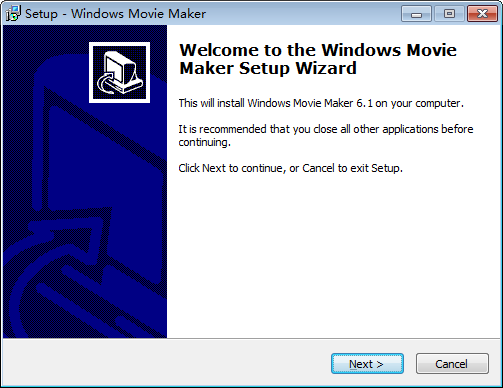
How to download and install Windows Movie Maker?

install windows movie maker step 1

3. Click "Next" button to continue with Windows Movie Maker install progress. Select "I accept the agreement" to continue. Of course, please read Windows Movie Maker License Agreement carefully before "Accept" it. 
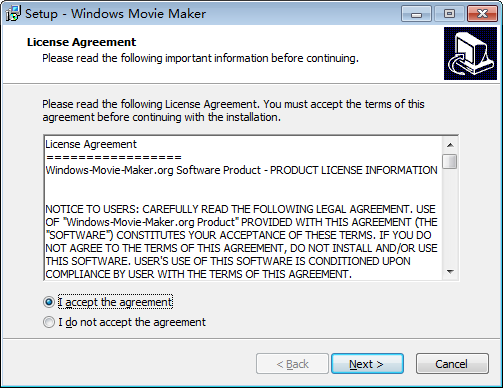
install windows movie maker step 2
4. In the next steps, you can select the destination folder where Windows Movie Maker will be installed, rename the Quickstart group name if you like, etc. It is recommended to leave all these settings as default, just click "Next" button to get the software installed.
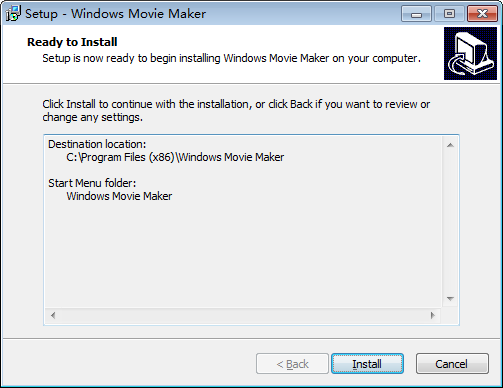
install windows movie maker step 3
5. This is the last step. The option "Launch Windows Movie Maker" is checked as default. This means Windows Movie Maker will be launched automatically after the install process finished. You can uncheck this option if you want run the software later.
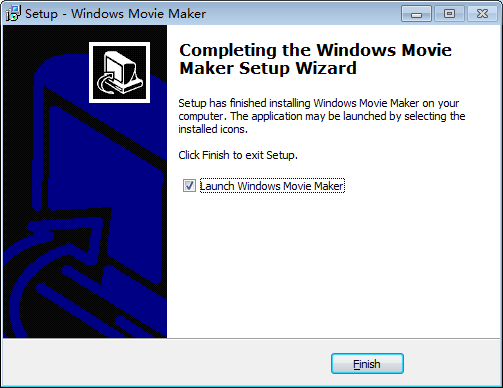
install windows movie maker last step

Window Live Movie Maker

Image result for video made sample

Window Live Movie MakerWindows Movie Maker is a easy-to-use & powerful video creating/editing software application, designed for latest Windows7, Windows 8, Windows 10. The old version works for Windows Xp and Vista. Windows Movie Maker contains features such as effects, transitions, titles/credits, audio track, timeline narration, and Auto Movie. New effects and transitions can be made and existing ones can be modified using XML code. Windows Movie Maker is also a basic audio track editing program. Windows Movie Maker can apply basic effects to audio tracks such as fade in or fade out. The audio tracks can then be exported in the form of a sound file instead of a video file.